此風格的呈現效果
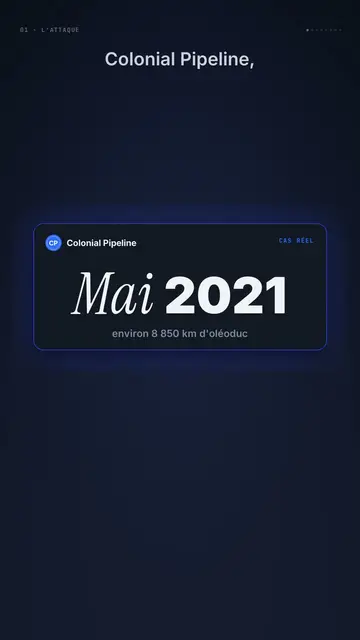
Night interface lays a muted interface over a midnight blue background, like a premium dashboard checked late at night. Dark glass cards come in on the spoken word: phases being ticked, a graph of linked nodes, a terminal, a record card, a counter, bars, a profile. Narration writes itself word by word as it comes out of blur, and the key word gets framed in electric blue, or turns into blue italic serif for emphasis.
For strong moments, the background switches with a sweep: big white numbers on blue rolling with their unit, a large italic serif display line, a dot matrix on cream where a few dots light up, a key word on a lime green pill. A small mono label at the top left holds the section (“01 · The attack”), a discreet source line at the bottom cites where the fact comes from, and a lens circle magnifies the detail that matters.
適合的主題
Avoid: light, childish or very colourful topics: the style stays dark and composed. Also avoid character stories; there are only cards, numbers and text.
- Cybersecurity and major attacksThe terminal, the numbered section and the source at the bottom set a serious investigative tone.
- Tech figuresThe big white number rolling on blue makes the scale of an amount or a record felt.
- AI and softwareThe node graph and the ticked phases show how a system works.
- Premium offers and productsThe muted tone and glass cards give a high-end look.
此風格的影片創意
- How one password cut fuel to the US East Coast
The VPN terminal with no two-factor, the phases of the attack and the 75 bitcoins as a big number.
- What a hacker really sees on your wifi
The node graph, the lens on the exposed device and the red alert.
- What a one-hour outage costs
The counter rolling in billions, the dot matrix and the source at the bottom.
- The 3 steps of a fake adviser scam
Phases ticking, the fake adviser's profile and the key word on lime green.
只需 1 次點擊即可取得
- 開啟此風格的連結
點擊「以此風格建立影片」按鈕,即可開啟編輯器並預先選好此風格。沒有帳號的話,註冊只需一分鐘,也不需信用卡。
- 用一句話寫下你的主題
一個想法就夠了。你也可以貼上文字,或在 Starter 方案中對麥克風講述:影片會以你的聲音為基礎來製作。
- 檢視,然後渲染
AI 撰寫場景,依照文字時間點安排風格元素,並加入語音與字幕。你可以修改不妥之處,幾分鐘後即可取得直式 MP4。
你可以調整的項目
For each scene you pick the shot (cards, number, serif display, dots, lime or end), the background (night, blue, cream or black), the key-word accent, the section label, one to three cards on the word, a coloured alert, the lens, the source line and the word to comment.
常見問題
免費與否、輸出格式、用途:簡短解答。
Can I cite my sources on screen?
Yes. Each scene has a small mono line at the bottom for the source and the date. It stays readable without getting in the way of captions.
可以用我自己的聲音嗎?
Yes. Record yourself or import your audio: each word comes out of blur and each card enters on what you say.
How is it different from Clean interface?
Clean interface plays the story in light windows with a cursor. Night interface stays dark and muted, with glass cards, big numbers on blue and sources.
此風格有免費方案嗎?
不是,它包含在 Starter($29/月)中:每月 15 支無浮水印影片,全部 81 種風格,外加你自己的風格。免費方案每月提供 3 支附浮水印的影片,另有 8 種風格:Pixel News、Press paper、Comedy cartoon、Class sketch、Night tale、Social screen、Retro synthwave 和 Flat vector。
如果你喜歡這種風格

UI motion design explainer video
Clean interface style · The story played out in clean interface cards: windows, buttons, a cursor clicking on the word, key word in serif.
Glassmorphism tech video
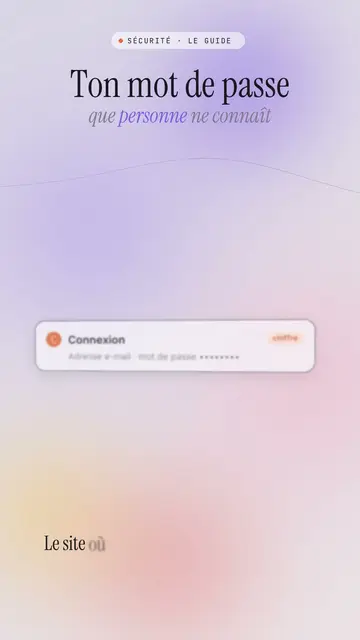
Lavender frosted glass style · Frosted glass UI cards rising and coming into focus on a lavender gradient with halos.
AI and privacy explainer video
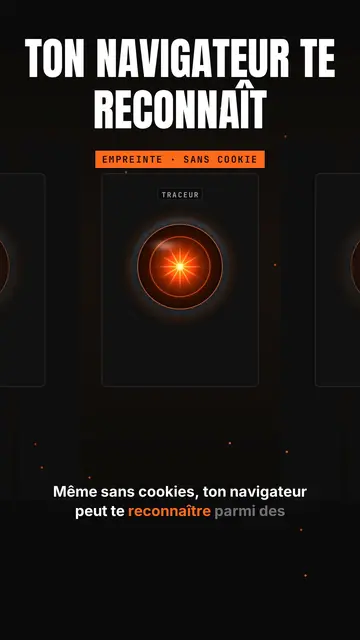
Glowing eye style · A glowing orange lens-eye like an onboard computer on black, with a giant capital title.