此風格的呈現效果
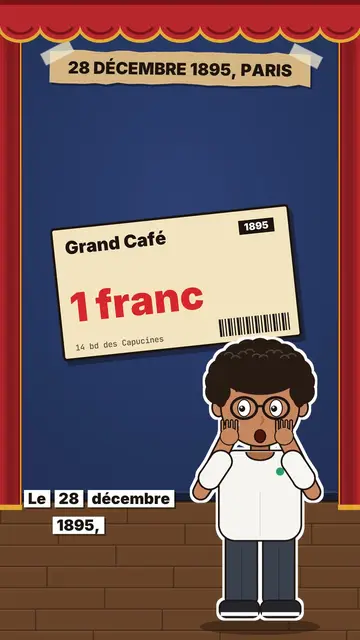
Little flat theatre puts your topic on a small stage drawn in flat colours. There is a wooden floor, a red curtain on the sides, and a back wall that changes colour with each chapter: night, mustard, teal. When a chapter ends, the curtain closes and then opens again on the next one. In the centre, a full-body avatar acts and reacts: it points, gives a thumbs up, pulls out a magnifier, winks or looks surprised.
The title appears in capitals on a taped kraft paper strip at the top, like a homemade show poster. Props drop from the ceiling or slide in from the wings on the spoken word: an interrogation lamp, cinema seats, a film reel, a spotlight, a chained chest, a price ticket, a sign or a number. Captions run on labels, and the end opens a chained chest before typing “COMMENT WORD”.
適合的主題
Avoid: topics that need precise data, maps or technical diagrams: the stage shows props, not charts. Also avoid very grave topics; the little theatre keeps a light, playful tone.
- Tool tests and reviewsThe interrogation lamp and the price ticket put the tool in the hot seat.
- Film and show historyThe seats, the reel and the spotlight are already part of the set.
- Comparisons in chaptersOne chapter per option, a curtain closing between them: the structure shows.
- Face-to-camera videos without a cameraThe avatar plays your presenter role, you do not have to film yourself.
此風格的影片創意
- The first paid film screening
The Grand Café ticket at 1 franc, the seats, the reel of 10 films and the number of 33 viewers.
- I tested the tool everyone is talking about
The interrogation lamp, the price ticket and the thumbs up or down.
- 3 free apps worth a subscription
One chapter per app, the curtain between each and the chest opening at the end.
- Why cinema popcorn costs so much
The seats, the spotlight, the price number and the surprised avatar.
只需 1 次點擊即可取得
- 開啟此風格的連結
點擊「以此風格建立影片」按鈕,即可開啟編輯器並預先選好此風格。沒有帳號的話,註冊只需一分鐘,也不需信用卡。
- 用一句話寫下你的主題
一個想法就夠了。你也可以貼上文字,或在 Starter 方案中對麥克風講述:影片會以你的聲音為基礎來製作。
- 檢視,然後渲染
AI 撰寫場景,依照文字時間點安排風格元素,並加入語音與字幕。你可以修改不妥之處,幾分鐘後即可取得直式 MP4。
你可以調整的項目
For each scene you pick the title on the kraft strip (a new title opens a chapter), the wall colour, the prop that comes in on the word (lamp, seats, reel, spotlight, chest, ticket, sign, number or element), the avatar's pose and side, and the word to comment at the end.
常見問題
免費與否、輸出格式、用途:簡短解答。
Can I add my own props?
Yes. A prop can be any element from the library, or an image you import, placed on the stage on the chosen word.
可以用我自己的聲音嗎?
Yes. Record yourself or import your audio: the avatar reacts and props drop on your words.
How is it different from Editorial avatar?
Editorial avatar puts a comic narrator at the bottom of plain paper, with stickers. Little flat theatre builds a real small stage, with a curtain, floor and props.
此風格有免費方案嗎?
不是,它包含在 Starter($29/月)中:每月 15 支無浮水印影片,全部 81 種風格,外加你自己的風格。免費方案每月提供 3 支附浮水印的影片,另有 8 種風格:Pixel News、Press paper、Comedy cartoon、Class sketch、Night tale、Social screen、Retro synthwave 和 Flat vector。
如果你喜歡這種風格
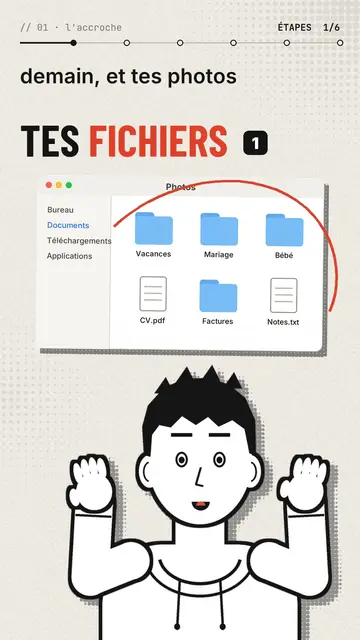
Comic avatar explainer video
Editorial avatar style · A bold-line comic narrator changes pose with each sentence, stickers pop on the word.
- 免費
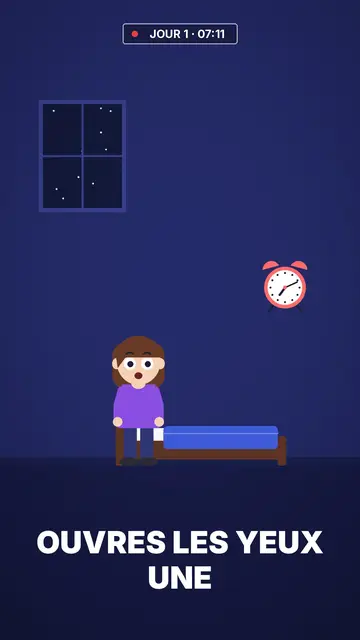
扁平向量動畫影片
扁平向量風格 · 午夜藍背景上的扁平向量插畫。
Animated cartoon character video
Drawn actor style · A pencil-drawn character performs your script like an actor, one expression at a time.