此風格的呈現效果
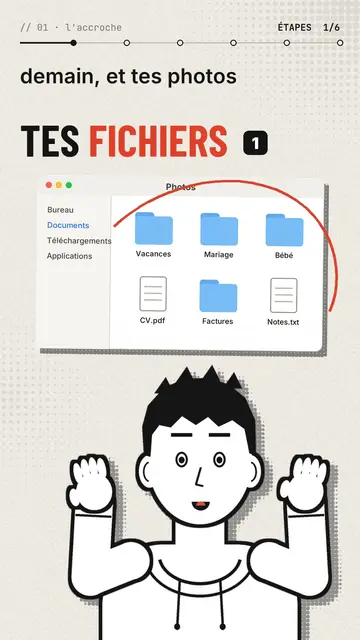
Editorial avatar puts a comic-drawn narrator at the bottom of the screen, in bold black line, who talks to you like a presenter. With each sentence it changes pose: it points, raises its hands, facepalms, pulls out a magnifier, holds its chin or gives a thumbs up. Its face follows the tone, surprised, sly or worried. Above it, stickers pop on the word: a Finder window, a terminal, a certificate with a medal, a sealed envelope, a before/after.
The background is a lightly halftoned cream paper that switches to red, black or navy when a new chapter starts. Titles are in condensed grotesque, one word in red, with a numbered badge, and a mono breadcrumb at the top shows where you are (“// 03 · the prompt”). A red circle can ring a detail of a sticker, and the end types “Comment WORD” into a comment field before the subscribe button.
適合的主題
Avoid: topics set in a specific place or that need maps and landscapes: the set stays plain paper. Also avoid stories with several characters; there is only one narrator.
- Tool and AI tutorialsThe narrator points at the window or the terminal while explaining, like a teacher in front of the screen.
- Faceless channelsThe avatar gives the channel a face without you having to film yourself.
- Practical tipsOne chapter per tip, one paper colour per chapter: the structure shows.
- Common mistakesThe facepalm and the red circle on the sticker say “don't do this” better than a sentence.
此風格的影片創意
- The 3-2-1 backup rule
The Photos window popping up, the three copies as stickers and the narrator pointing at the external drive.
- Write a good prompt in 4 steps
One chapter per step, the terminal as a sticker and a thumbs up on the good example.
- Spot a scam email
The sealed envelope, the red circle on the address and the facepalm on the trap link.
- What your certificate really proves
The medal certificate, the magnifier and the paper turning black for the warning.
只需 1 次點擊即可取得
- 開啟此風格的連結
點擊「以此風格建立影片」按鈕,即可開啟編輯器並預先選好此風格。沒有帳號的話,註冊只需一分鐘,也不需信用卡。
- 用一句話寫下你的主題
一個想法就夠了。你也可以貼上文字,或在 Starter 方案中對麥克風講述:影片會以你的聲音為基礎來製作。
- 檢視,然後渲染
AI 撰寫場景,依照文字時間點安排風格元素,並加入語音與字幕。你可以修改不妥之處,幾分鐘後即可取得直式 MP4。
你可以調整的項目
For each scene you pick the chapter name, the paper colour, the title and its style (grotesque or serif), up to three stickers with the word where they pop and the word where a red circle rings them, the narrator's pose and expression, confetti and the word to comment at the end.
常見問題
免費與否、輸出格式、用途:簡短解答。
Can the narrator look like me?
The built-in narrator is the same for everyone. For a look of your own, import your own style from reference images, from Starter.
可以用我自己的聲音嗎?
Yes. Record yourself or import your audio: poses and stickers change on the words you say.
How is it different from Drawn actor?
Drawn actor is a pencil performer acting each sentence in close-up. Editorial avatar is a comic presenter at the bottom of the screen who shows stickers and windows.
此風格有免費方案嗎?
不是,它包含在 Starter($29/月)中:每月 15 支無浮水印影片,全部 81 種風格,外加你自己的風格。免費方案每月提供 3 支附浮水印的影片,另有 8 種風格:Pixel News、Press paper、Comedy cartoon、Class sketch、Night tale、Social screen、Retro synthwave 和 Flat vector。
如果你喜歡這種風格
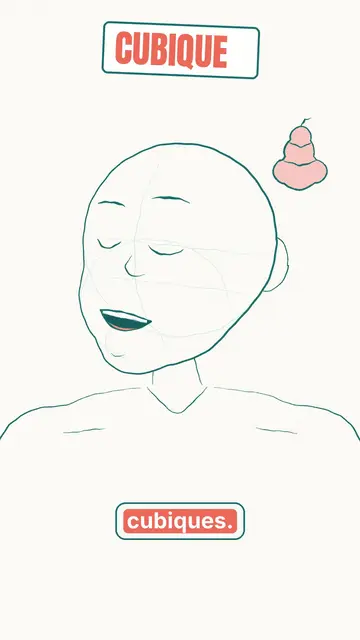
Animated cartoon character video
Drawn actor style · A pencil-drawn character performs your script like an actor, one expression at a time.
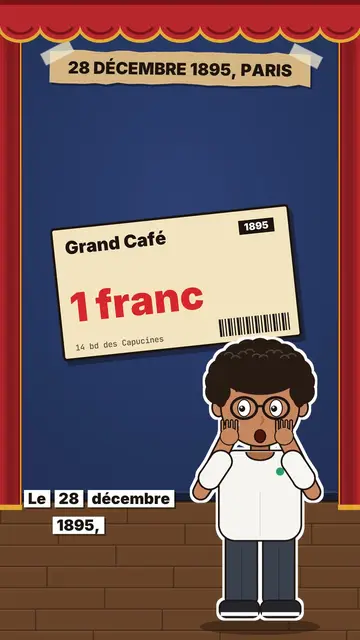
Review video on a stage
Little flat theatre style · A small flat-colour theatre stage: red curtain, changing wall, an avatar who acts and reacts.
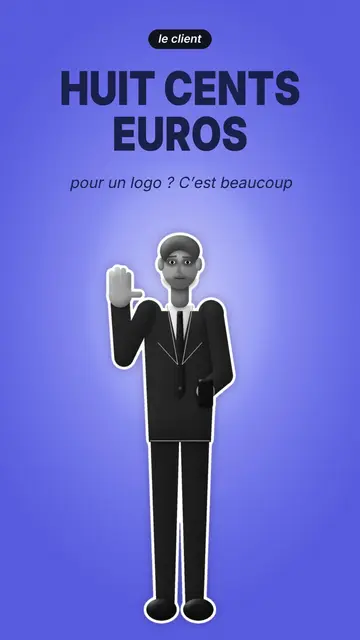
Cut-out photo dialogue video
Cut-out photo style · Black-and-white people cut out like stickers on a blue-violet gradient, a giant navy title.