科技排行榜影片製作工具 — 科技清單風格
製作科技排行榜影片:黑底卡片、大型橘色標題,以及隨旁白出現的編號清單,適合工具介紹、小技巧與快速比較。
Included from Starter, with all 24 styles plus your own · preview rendered by the ClipOnIt engine
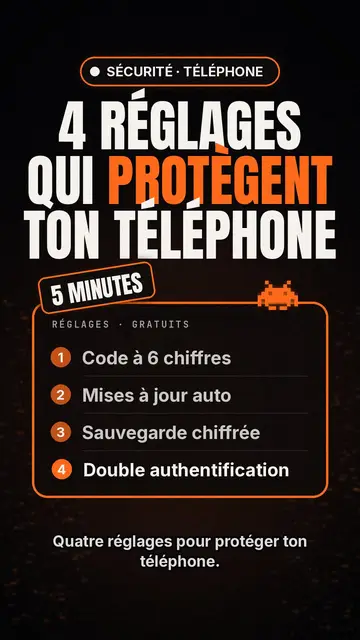
此風格的呈現效果
Tech list presents each scene as a card on a black background. At the top, a glowing pill-shaped badge names the category, then a huge condensed headline in white and orange fills the width. A slanted patch sits on the card, like a “NEW” or “FREE” sticker, and a small pixel art pictogram recalls the topic.
The heart of the style is the numbered list, inside a glowing orange-edged frame: each line appears the moment the voice says it, which keeps attention to the last item. A monospace header caps the card, and captions stay discreet at the bottom so the list can breathe. Instead of the pictogram, you can show a screenshot or an imported image.
適合的主題
Avoid: stories and emotional topics: a story does not split into numbered points. The style also shows few images, so a very visual topic (travel, nature, food) loses out. Past six items per card the list becomes hard to read: split it across several scenes.
- Top lists and tool picksThe list format is made for “5 apps worth knowing”: each tool gets its line, its number and its moment.
- Tips and settingsSteps show up one by one, readable enough to follow with your phone in hand.
- Quick comparisonsThree offers, three lines, and the slanted patch to point at the winner.
- Product updatesThe badge and orange headline feel like an announcement, handy to present the features of an update.
此風格的影片創意
- 4 settings to protect your phone
A “SECURITY” badge, an orange headline, then the four settings appearing as the voice goes.
- 5 free tools to edit your videos
One line per tool, a “FREE” patch on the card, and a screenshot for the favourite.
- Keyboard shortcuts that save you an hour
Each shortcut as a numbered line, with the monospace header styled like a terminal.
- Three subscriptions compared
Price, limit and strength in three lines per card, then a final card that settles it.
只需 1 次點擊即可取得
- 開啟此風格的連結
點擊「以此風格建立影片」按鈕,即可開啟編輯器並預先選好此風格。沒有帳號的話,註冊只需一分鐘,也不需信用卡。
- 用一句話寫下你的主題
一個想法就夠了。你也可以貼上文字,或在 Starter 方案中對麥克風講述:影片會以你的聲音為基礎來製作。
- 檢視,然後渲染
AI 撰寫場景,依照文字時間點安排風格元素,並加入語音與字幕。你可以修改不妥之處,幾分鐘後即可取得直式 MP4。
你可以調整的項目
On each card you write the badge, the headline and its orange word, the slanted patch, the monospace header and up to six list lines. Swap the pictogram for an image of yours, or for other library elements placed wherever you like. The accent colour, orange by default, can be changed for your brand, and each scene keeps an editable length and narration, with three variants on request. From Starter, record your own voice and make fixes by talking to the AI Director.
Frequently asked questions
免費與否、輸出格式、用途:簡短解答。
What is a top list video?
A short video presenting a numbered selection, “the 5 best…” or “4 tips to…”, one point at a time. Here, AI writes the list, splits it into cards and makes each line appear with the voice.
Can I show app screenshots?
Yes, an imported image takes the pictogram's place on the card. Use your own screenshots, and check that you may show any logos they contain.
How many items per list?
Six at most per card. For a top 10, AI spreads the list over several scenes, which keeps the pace brisk.
此風格有免費方案嗎?
No, it comes with Starter ($29/month): 15 watermark-free videos a month, all 24 styles plus your own. The free plan gives 3 videos a month with a watermark in 8 other styles: Pixel News, Press paper, Comedy cartoon, Class sketch, Night tale, Social screen, Retro synthwave and Flat vector.
如果你喜歡這種風格
- 免費
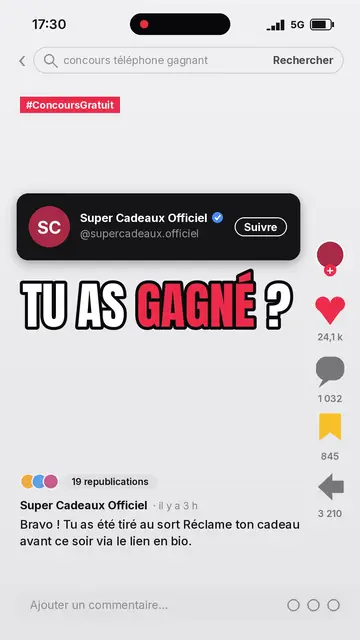
Social media explainer video
Social screen style · A recreated social feed: profile, counters, comments.
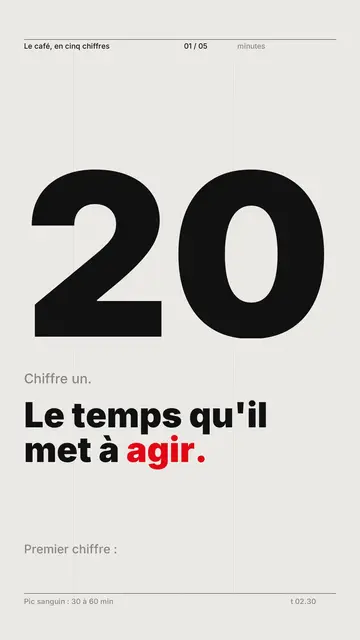
Kinetic typography video maker
Swiss grid style · Swiss typography: light paper, strict grid, giant figure, one signal colour.
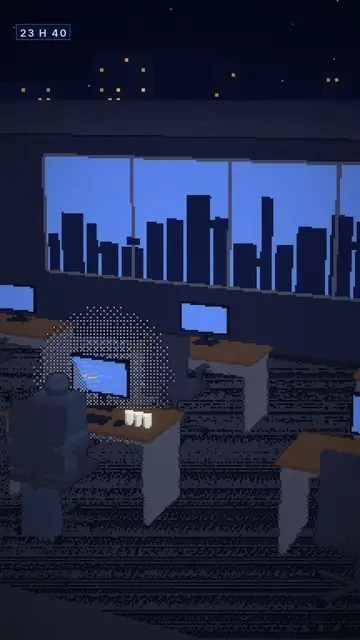
Voxel animation video
Voxel night style · Chunky-pixel 3D nights, glowing city and screens.