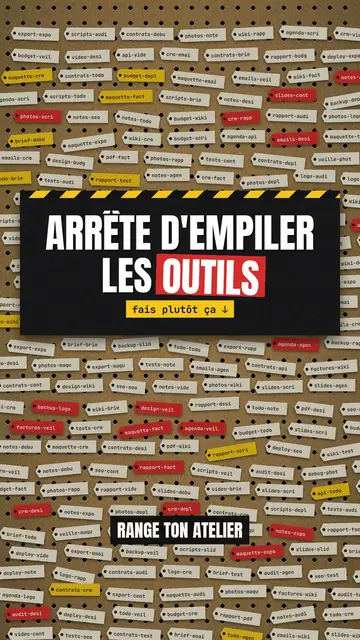
此風格的呈現效果
Pegboard workshop hangs everything on a brown cardboard board full of holes, like the wall of a tidy workshop. Ideas become red and yellow labels that come loose and fall when they are ruled out, clipboards with a list crossed out in red marker, test tubes that act as gauges and drain before your eyes. Yellow and black caution tape runs across the top when viewers need to be careful.
Titles are in condensed capitals, with the key word on a red or yellow band. Labels speak in mono, numbers are bold, and blue pill buttons or letter keys show the action to take. For a strong moment, the background switches to black or to full-screen yellow with tape. Each step has its red number and cream label at the top left: viewers follow the method like a workshop sheet.
適合的主題
Avoid: emotional stories or tales with characters: the board shows objects, steps and numbers. Also avoid topics without concrete action; every label should say something you can do or sort.
- Organisation methods5S, sorting, tidying: each step becomes a label you hang up or take down.
- Tool tutorialsLetter keys and blue buttons show the exact move, step by step.
- Mistakes to stop makingThe marker-crossed list and the “NO” stamp clearly say what to stop.
- Business processesA quality procedure or an onboarding reads like a sheet pinned up in the workshop.
此風格的影片創意
- The 5S method in 30 seconds
Five numbered steps, useless labels falling off and the “COMPLIANT” stamp at the end.
- Tidy your desk in 4 steps
The crossed-out clipboard, the clutter gauge draining and the blue “done” button.
- 3 shortcuts nobody uses
Letter keys pressing down, the “caution” tape and the number of minutes saved.
- Sort your email without losing the day
Labels to keep, labels that drop and the inbox gauge going down.
只需 1 次點擊即可取得
- 開啟此風格的連結
點擊「以此風格建立影片」按鈕,即可開啟編輯器並預先選好此風格。沒有帳號的話,註冊只需一分鐘,也不需信用卡。
- 用一句話寫下你的主題
一個想法就夠了。你也可以貼上文字,或在 Starter 方案中對麥克風講述:影片會以你的聲音為基礎來製作。
- 檢視,然後渲染
AI 撰寫場景,依照文字時間點安排風格元素,並加入語音與字幕。你可以修改不妥之處,幾分鐘後即可取得直式 MP4。
你可以調整的項目
For each scene you pick the background (board, black or yellow with tape), the title and the colour of its band, a numbered section, a small tag under the title, a stamp, a source note, and one piece on the word: number, gauges, clipboard, labels, terminal, button, object or keys.
常見問題
免費與否、輸出格式、用途:簡短解答。
Does the style work for internal training?
Yes. Numbered steps, crossed-out lists and stamps suit procedures, safety rules and team methods well.
可以用我自己的聲音嗎?
Yes. Record yourself or import your audio: each label drops and each gauge drains on your words.
How is it different from Terracotta studio?
Terracotta studio shows UI cards floating on cream. Pegboard workshop hangs physical cardboard objects: labels, gauges, clipboards, tape.
此風格有免費方案嗎?
不是,它包含在 Starter($29/月)中:每月 15 支無浮水印影片,全部 81 種風格,外加你自己的風格。免費方案每月提供 3 支附浮水印的影片,另有 8 種風格:Pixel News、Press paper、Comedy cartoon、Class sketch、Night tale、Social screen、Retro synthwave 和 Flat vector。
如果你喜歡這種風格
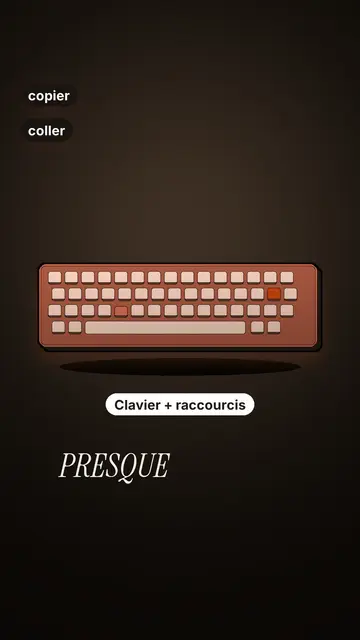
Tech tutorial video maker
Terracotta studio style · Tutorials told with UI cards floating in light 3D on cream: numbered labels, rolling counters, terracotta title plates.
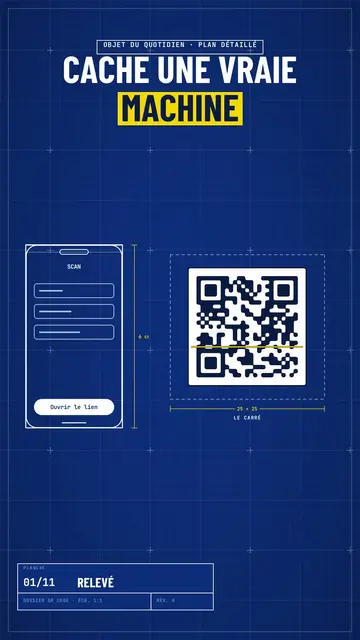
Blueprint diagram video
Blue blueprint style · A gridded blue blueprint sheet: line-drawn wireframes, dimensions, a title block and a yellow note.
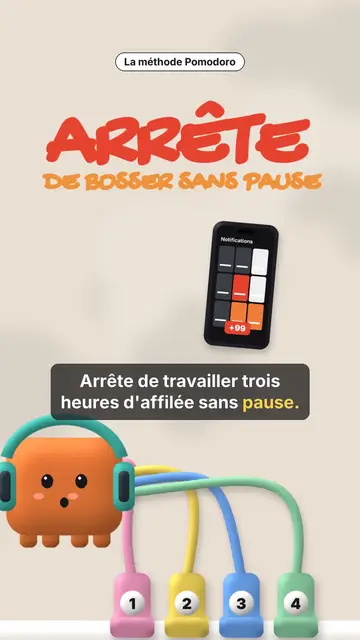
Clay 3D step-by-step video
Clay mascot style · A clay cube mascot plugged by cables into numbered sockets, one per step.