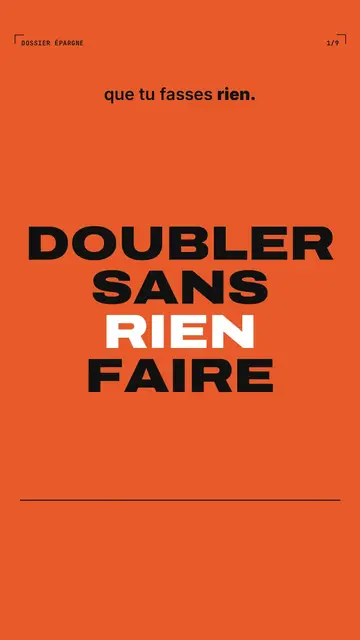
此風格的呈現效果
Bold poster treats each sentence like a pasted-up poster. The background is a full-frame flat colour, orange, electric blue, lime, cream or black, that switches with a hard cut on every scene. The sentence is set in extra-bold capitals that fill the whole frame, with one word in italic serif for emphasis and a small mono label in the corner, like a printer's reference. Nothing floats, nothing glows: the strength comes from contrast and size.
Numbers are the heroes: they roll in giant type up to their value, with their unit. A calendar grid ticks the day, a bar chart grows, a big 1, 2 or 3 announces the step, and a crossed-out word gets stamped “NO”. A Bauhaus variant moves to a cream background, with blue discs, orange squares and a red band. The end shows a giant “SUBSCRIBE” and the word to comment.
適合的主題
Avoid: topics that rely on places, faces or atmosphere: here everything is type and simple shapes. Also avoid very long text per scene; a poster carries one short sentence, not a paragraph.
- Money and savingsA rate, a period, an amount: the giant rolling number makes the effect clear in one second.
- Rules and step-by-step methodsThe big 1, 2, 3 on flat colour sets the pace and viewers always know where they are.
- Common misconceptionsThe crossed-out sentence stamped “NO” corrects the mistake without a long explanation.
- Tech and AI newsAn announcement, a date, a number: the poster format holds the feed even without pictures.
此風格的影片創意
- The rule of 72
The rate on orange, the number rolling to the doubling years and the final bar chart.
- 3 mistakes that ruin your CV
A big 1, 2, 3 on three colours and each mistake crossed out then stamped “NO”.
- What a subscription really costs
The monthly price, the calendar filling up and the yearly total in giant type.
- What to know about the new AI
The date on blue, the key figures rolling and a card where the summary types itself.
只需 1 次點擊即可取得
- 開啟此風格的連結
點擊「以此風格建立影片」按鈕,即可開啟編輯器並預先選好此風格。沒有帳號的話,註冊只需一分鐘,也不需信用卡。
- 用一句話寫下你的主題
一個想法就夠了。你也可以貼上文字,或在 Starter 方案中對麥克風講述:影片會以你的聲音為基礎來製作。
- 檢視,然後渲染
AI 撰寫場景,依照文字時間點安排風格元素,並加入語音與字幕。你可以修改不妥之處,幾分鐘後即可取得直式 MP4。
你可以調整的項目
For each scene you pick the shot (poster, number, calendar, bars, step, no, grid, card, element or end), the flat colour, the small serif line, the corner label and the word where the content comes in. You can add a glitch stripe effect on the cut or switch the whole video to the Bauhaus variant.
常見問題
免費與否、輸出格式、用途:簡短解答。
Do I need images?
No. The style lives on type, colour and numbers. You can place a library element in large if a scene calls for it.
可以用我自己的聲音嗎?
Yes. Record yourself or import your audio: every colour cut and every rolling number locks onto your words.
How is it different from Swiss grid?
Swiss grid stays sober, on light paper, with one signal colour. Bold poster switches full colour on every cut and fills the frame with capitals.
此風格有免費方案嗎?
不是,它包含在 Starter($29/月)中:每月 15 支無浮水印影片,全部 81 種風格,外加你自己的風格。免費方案每月提供 3 支附浮水印的影片,另有 8 種風格:Pixel News、Press paper、Comedy cartoon、Class sketch、Night tale、Social screen、Retro synthwave 和 Flat vector。
如果你喜歡這種風格
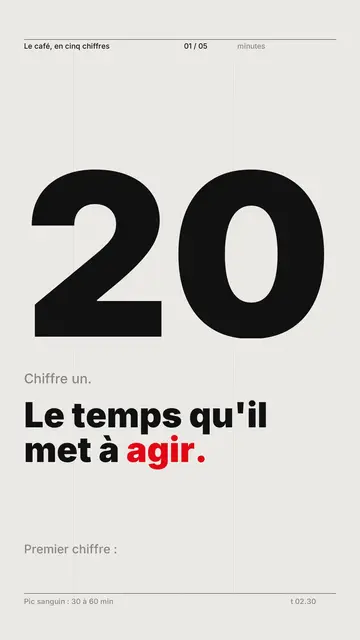
動態字型影片製作工具
瑞士網格風格 · 瑞士排版:淺色底、嚴謹網格、巨大數字,搭配單一強調色。
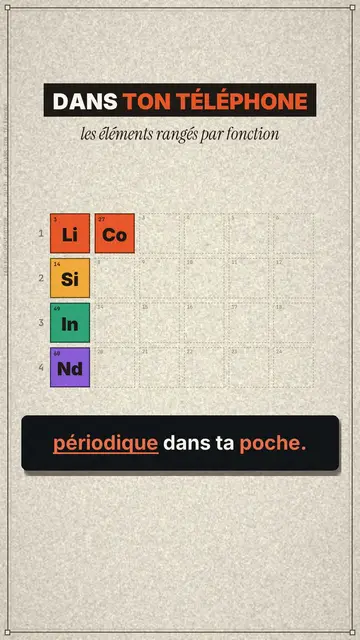
Periodic table ranking video
Retro periodic table style · Each idea becomes a chemical element tile, filed into a table that fills up row by row.
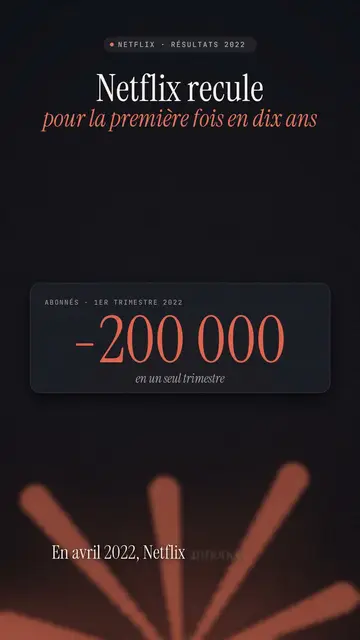
Finance explainer video
Night report style · A financial investigation on a warm dark background, amber glow or coral asterisk, white serif title.