辦公室卡通動畫影片 — 辦公室卡通風格
製作辦公室卡通影片:大頭卡通角色置身開放式辦公室或廚房,附配音與字幕。適合教育訓練、人資與團隊生活。
Included from Starter, with all 24 styles plus your own · preview rendered by the ClipOnIt engine
此風格的呈現效果
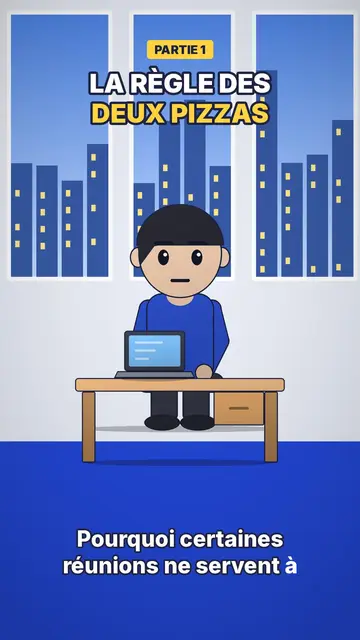
Office toon draws big-headed characters with shiny black oval eyes and pink cheeks, with soft shading, light at the top and darker at the bottom, and a drop shadow on the floor. The result feels like a 3D animated film while staying a crisp 2D picture. Scenes take place in two familiar sets: an open-plan office with a bright blue floor and windows onto the city, and a kitchen with grey-green cupboards.
A yellow label at the top announces the part (“PART 1”), the title is set in white and yellow outlined in midnight blue, and captions stay low-key, in lowercase, at the bottom. A character can stand in front of a presentation screen to show a figure or an instruction. Between shots, a small zoom settles on the next scene. The overall tone is friendly, which gets a rule or a tip across without lecturing.
適合的主題
Avoid: topics set outdoors, far from an office or a kitchen (travel, nature, geography): the style's sets are mostly indoors. Also avoid serious topics such as a layoff or harassment, where the cute tone of the characters can feel out of place; a more sober style suits them better.
- Internal trainingA procedure, a tool or a safety rule is shown with colleagues in a setting that looks like their own.
- Onboarding new hiresSplit into numbered parts, the first week becomes a short series that is easy to follow.
- Career tipsNegotiating, asking for feedback, turning down a meeting: the characters act out the scene before the tip.
- Small everyday scenesThe kitchen also works for home topics: budget, groceries, planning the week.
此風格的影片創意
- Spotting a phishing email
A colleague at their screen, three clues that give the fake message away, and the right reflex in part 3.
- Your first week on the team
Five short parts: badge, tools, rituals, who to contact, where to have lunch.
- The meeting that could have been an email
Four characters round a table, the clock ticking, then a simple rule to avoid it.
- Asking for a raise
The character prepares at the coffee machine, then the meeting is replayed in two versions.
只需 1 次點擊即可取得
- 開啟此風格的連結
點擊「以此風格建立影片」按鈕,即可開啟編輯器並預先選好此風格。沒有帳號的話,註冊只需一分鐘,也不需信用卡。
- 用一句話寫下你的主題
一個想法就夠了。你也可以貼上文字,或在 Starter 方案中對麥克風講述:影片會以你的聲音為基礎來製作。
- 檢視,然後渲染
AI 撰寫場景,依照文字時間點安排風格元素,並加入語音與字幕。你可以修改不妥之處,幾分鐘後即可取得直式 MP4。
你可以調整的項目
You change the yellow label (“PART 2”, “STEP 3”), the title and its yellow word, the text on the presentation screen, the narration and each scene's length. You pick the set, office or kitchen, move or swap a character or an object, and can ask for three variants of a scene. From Starter, your own voice and the AI Director; the brand kit applies your logo and colours to the render.
Frequently asked questions
免費與否、輸出格式、用途:簡短解答。
Can I make a corporate training video with this style?
Yes, that is its main use: toon colleagues in an office that looks like a real one, one part per step, and a voice that explains. You write the topic or paste your procedure, and AI splits it into scenes.
Is it real 3D?
No, it is 2D with soft shading and a drop shadow that imitates an animated film look. The picture stays light and crisp on mobile.
How do I make a multi-part series?
Make one video per part and change the yellow label each time. Since characters and sets stay the same, the series keeps a consistent look.
此風格有免費方案嗎?
No, it comes with Starter ($29/month): 15 watermark-free videos a month, all 24 styles plus your own. The free plan gives 3 videos a month with a watermark in 8 other styles: Pixel News, Press paper, Comedy cartoon, Class sketch, Night tale, Social screen, Retro synthwave and Flat vector.
如果你喜歡這種風格
- 免費
AI cartoon video generator
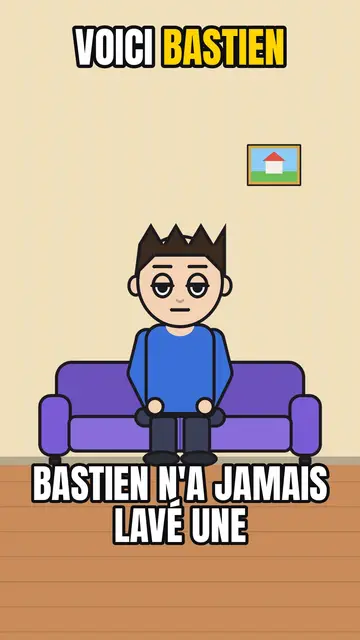
Comedy cartoon style · Comic cartoon, expressive characters with bold outlines.
Cutaway house 3D animation
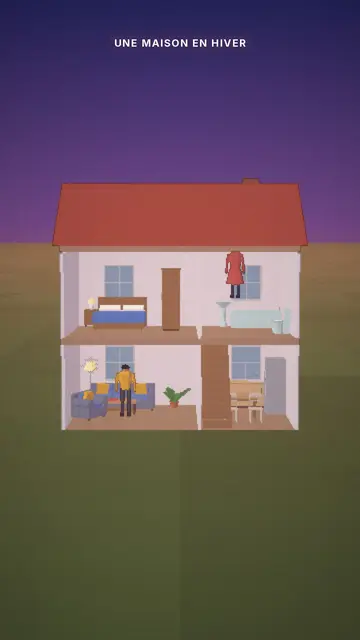
Cutaway house style · A dollhouse-style cutaway with lit rooms.
- 免費
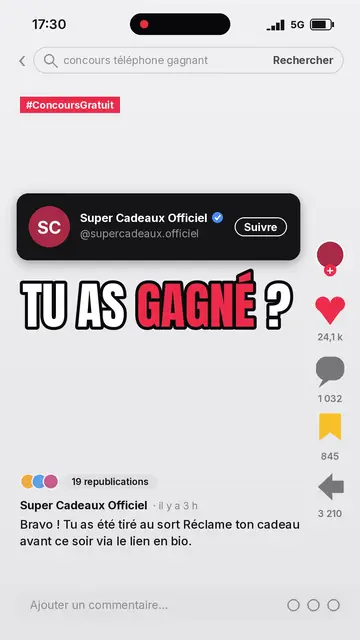
Social media explainer video
Social screen style · A recreated social feed: profile, counters, comments.